In Adobe Photoshop Elements 24.0 (Windows)
My computer is Adobe-free but but no doubt there is a way ...
Gosh, I never knew that! 😉


In Adobe Photoshop Elements 24.0 (Windows)
My computer is Adobe-free but but no doubt there is a way ...
Gosh, I never knew that! 😉
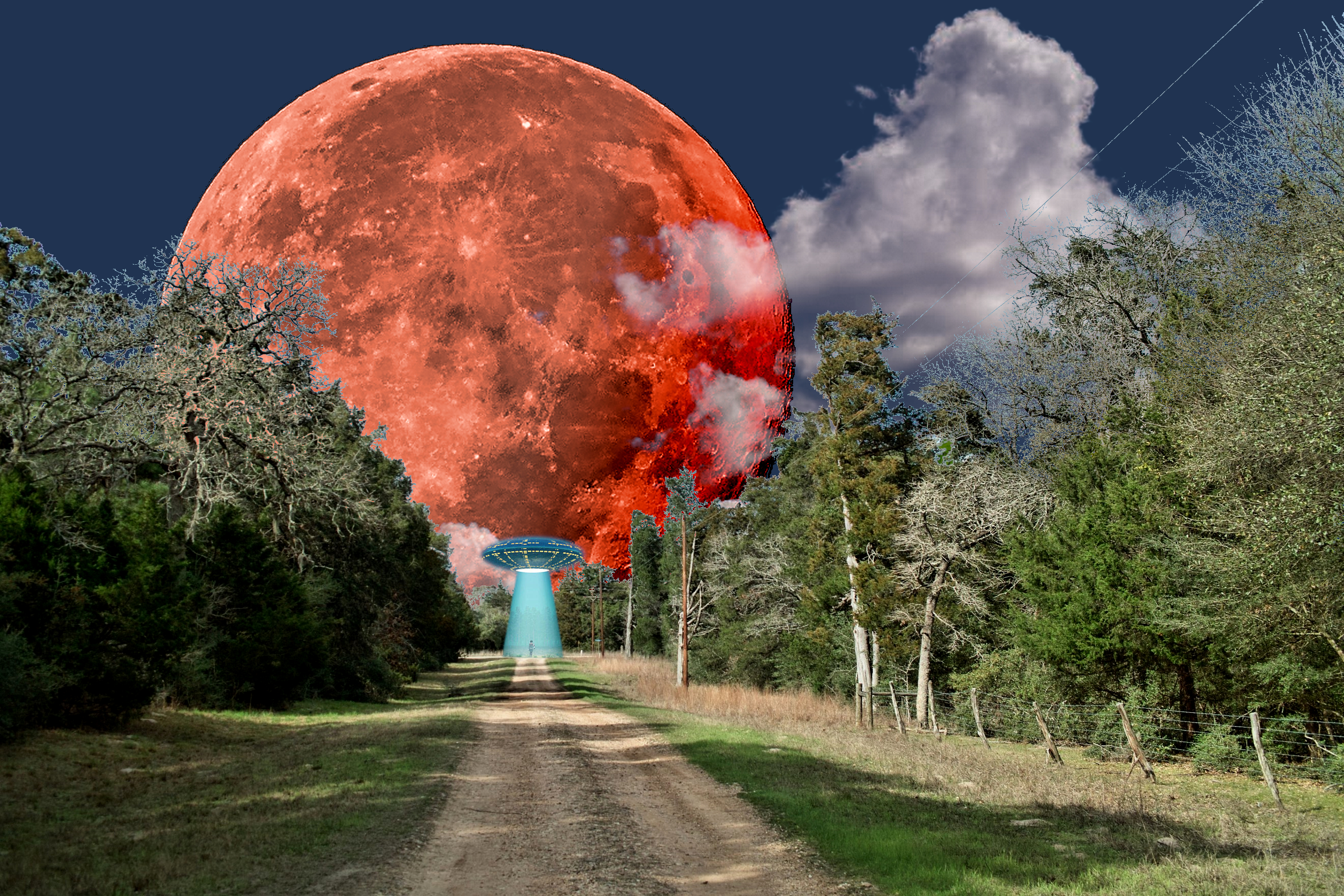
Here's a composite involving the moon and my rural street
The street:
A super-moon:
Some clouds:
All brought into the GIMP as layers, added appropriate masks and changed the moon to blood and it's background to night, then all merged:
Messing around with layers and masks is not real easy, see the tree twigs! Main point is that each shot by itself is pretty boring (just another moon shot, na-ni-na ...) but the composite is quite spectacular IMHO.
Later, I added a UFO just for grins but I'm not sure whether it enhances the original or not ...

In earlier versions of PSE as well, Ps and some other apps as well.
And now you do 🙂
Brilliant.
Alan
Potentially a sensational composite but unfortunately the blue tinge all around the top of the trees spoils it a lot for me.
I'm guessing it's a masking issue. If it is then tidying up your masking will help a lot to improve the composite.
This is just a quick and basic re-composite to show what the composite would be similar to if you remove the bluish tinge. Imo it looks much better without it.
I also wouldn't make the moon visible through the clouds but that's a personal choice. I reduced the opacity to show the moon only slightly through the clouds.
I'd also clone out the power lines.
The masking below still needs a little tidying up but it shows the gist of what I mean.
Fwiw, just some food for thought.

I think the street and blood moon and clouds is over the top but in a good (kitschy) way. Self-consciuous photo fun.
The UFO takes it just that step too far for me.
That is my current thought too ...

I love to do imaginative composites myself so I'm glad to see I am not the only one. They are challenging, like creating a puzzle then putting it together. Yours is fun and fanciful: a gigantic blood red moon at the end of a peaceful tree lined road. The alien spaceship may be a little too much fun, but if you wanted to keep it, it might fit in a little better if it was darkened. Dan has already addressed the technical issue of the fringing along the lines of the tree selection. I don't use the same software you do, but there's probably similar tricks like adjusting the color of the fringe to hide it, reducing the edge of the selection a few pixels through one of several methods. In PS, Blend-If often helps me work with such things. Some softwares do better at masking such things (for instance, I find that On1 seems to produce less fringing than PS), but that battle is ongoing and softwares are always changing.
Composites are not easy, you are right! But they are fun.
You can add fine detail to selections using the Colour Range filter in Selections and adjusting the Range and Fuzziness sliders.
Getting rid of fringes can be done by painting with the Colour Blend Mode on a separate layer.
Depending on the fine detail it can be tedious but definitely doable in something like Ps.
Clipping masks help a lot.
xpatUSA doesn't use Adobe apps though.
Of course you didn't - and it looks now like you didn't bother to read the EXIF under the posted image either.
I did read the posted exif data.
The point I was making is that it's not difficult getting a natural looking sky in that type of scene.
Agreed!
Yes, that many branches and twigs is difficult when creating a mask by conventional means. Often I find that the GIMP's Color 'Threshold' function works well, producing a pure black & white mask instantly, especially when said branches and twigs are back-lit as they often are.
In that case, why did you say you were "really confused about why the sky looks so gloomy" - when the sky was so obviously under-exposed according to the displayed EXIF?
OK

I'm amazed at how far we've come 😂😂😂
It's getting more and more fun!
I'm amazed at how far we've come 😂😂😂
It's getting more and more fun!
Of course, you don't care what happens to the photo in the bottom left corner.
You hope that all viewers don't take the viewing too seriously.
That is your main dilemma, even with your photography.

It doesn't follow that the title tells us what the subject is and therefore the rest of the image is irrelevant. In looking at an image, the whole thing needs to be thought about. In this case, the foreground is very relevant.
Following with keen interest.
There is a "Hustler" getting his education here.
I like how the diagonal of the pool table's edge leads to the hand in motion.


